UX CASE STUDY · APP + RESPONSIVE WEB
Museum App & Website
Making a museum visit easier to discover, plan, and enjoy.
ROLE Lead UX/UI Designer / TIMELINE 8 weeks / TOOLS Figma
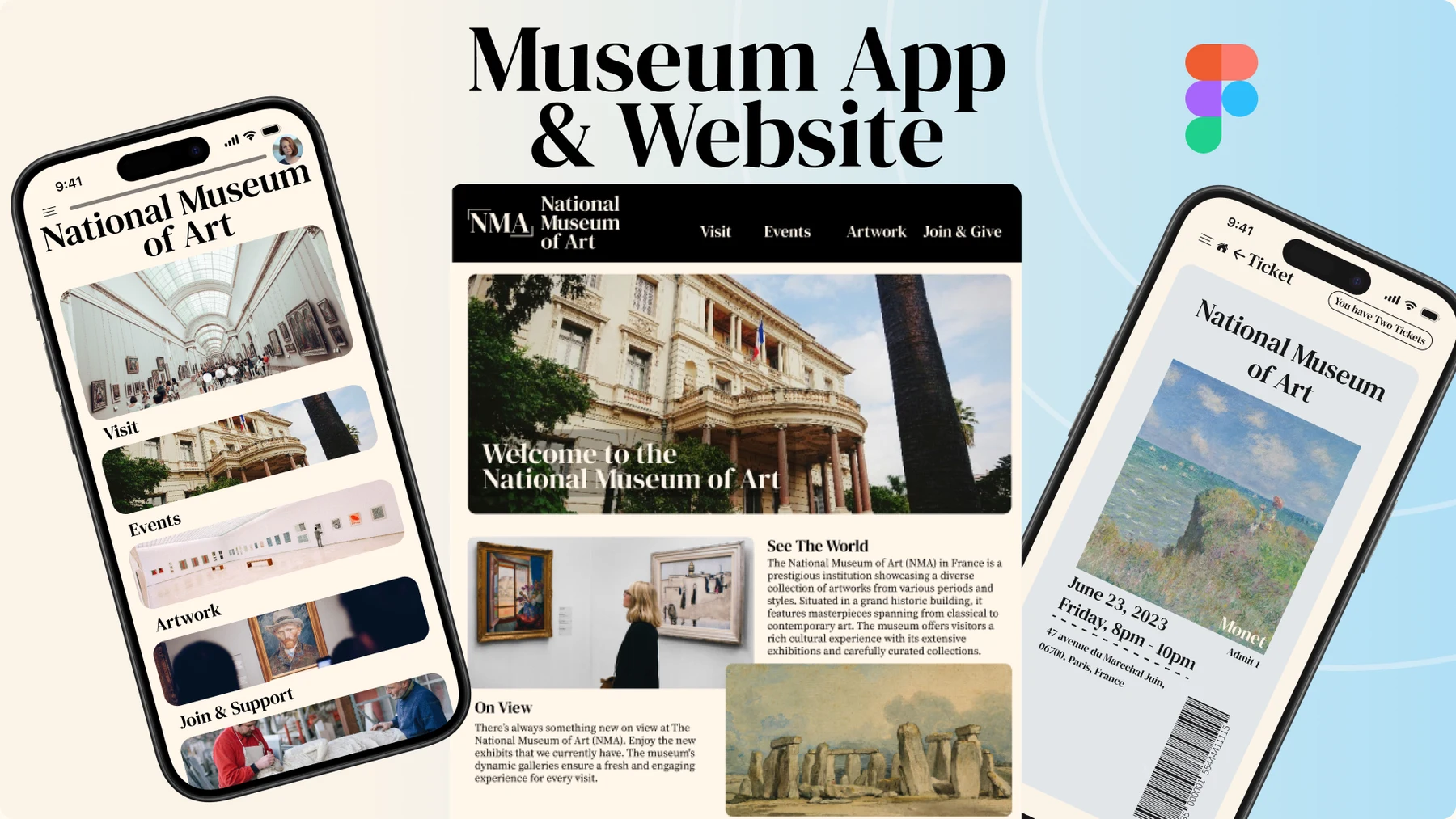
A connected museum experience across app and website.
Introduction & platform
I designed a user-friendly iOS app and responsive website for a public art museum. The project aimed to strengthen its digital presence, helping visitors discover exhibitions and events, access museum information, and schedule visits. The website considered both desktop and mobile users, with all prototyping completed in Figma.
Problem
Visitors can struggle to navigate museum websites and apps, find exhibition and event information in one place, and understand how to schedule a visit. I focused on making those paths clearer, especially the homepage and ticket-booking flow.
Goals
Create a cohesive, intuitive app and responsive website. Present exhibitions and events clearly and creatively to encourage exploration, and simplify visit scheduling so visitors can plan with confidence.
My role · Lead UX/UI Designer
I led the UX/UI design process: conducting user research and interviews, developing personas and journey maps, creating wireframes and prototypes in Figma, conducting usability testing, gathering feedback, and iterating on the designs based on user insights.
Timeline · Eight weeks
Weeks 1–2 · Research and discovery Weeks 3–4 · Ideation and wireframing Weeks 5–6 · Prototype development
Week 7 · User testing Week 8 · Iterations and finalization
Early ideation · Understanding visitors
I conducted user interviews and surveys to understand visitors’ needs and pain points, and analyzed competitor museum websites and apps for inspiration. I developed user personas and journey maps to guide design decisions, then explored layout and functionality through sketches and low-fidelity wireframes.
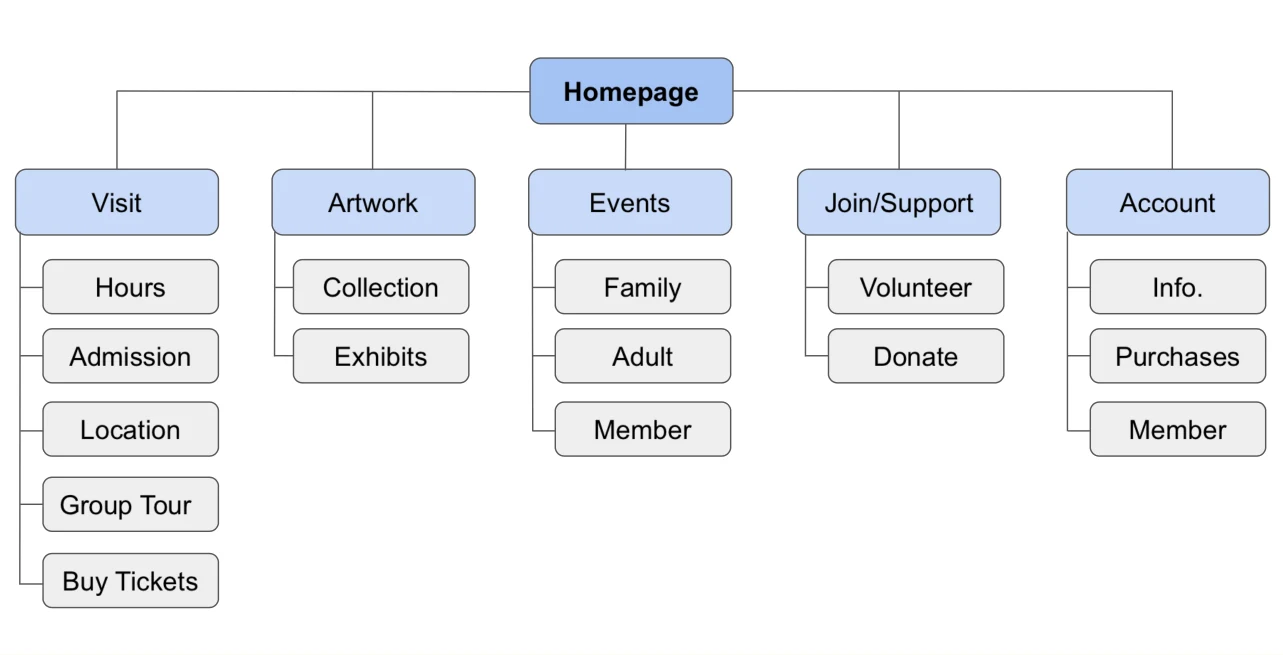
Website structure · Visit, Artwork, Events, Join/Support, and Account
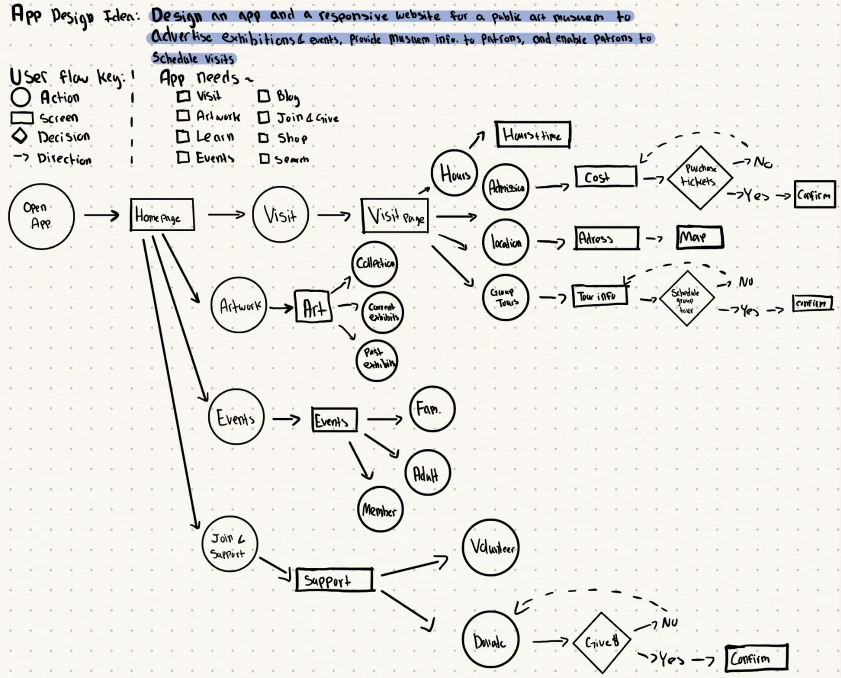
App flow · From discovery to visit planning and confirmation
Sketching before polishing
Paper sketches helped me explore the hierarchy of the homepage and the key visit, event, artwork, and membership screens. I then translated those ideas into low-fidelity layouts before building the visual interface.
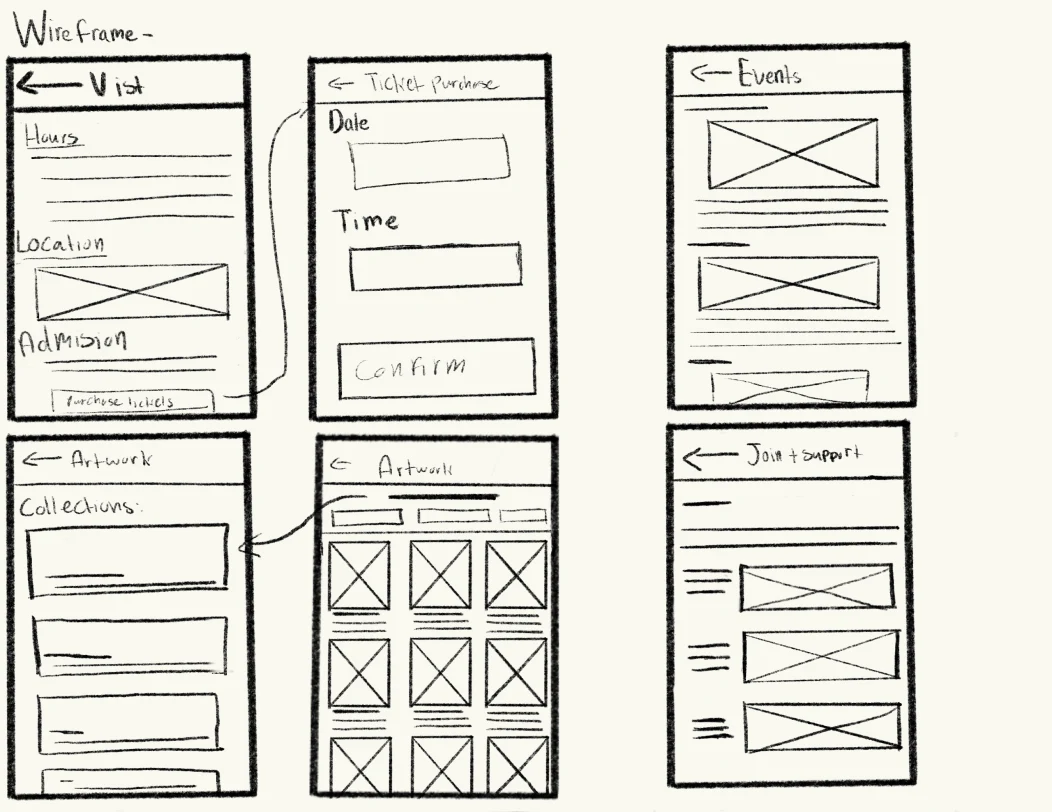
App · Early screen sketches
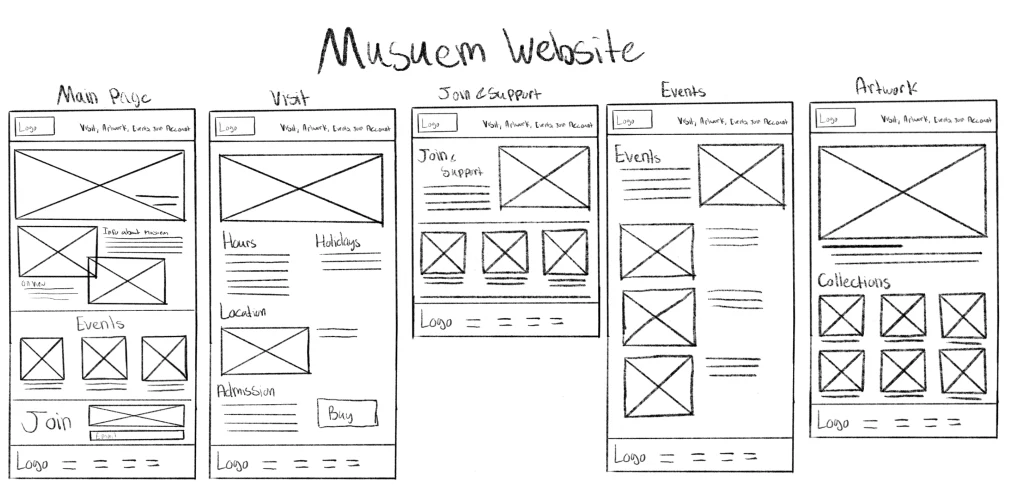
Website · Early page sketches
User testing · Refining the visit
I conducted usability testing with a diverse group of users and gathered feedback on navigation, information clarity, and the overall experience. Testing identified confusing homepage navigation and friction when purchasing tickets and booking a visit. I used those insights to iterate on navigation and design elements, with the aim of making the experience easier to understand and use.
Final designs · iOS app
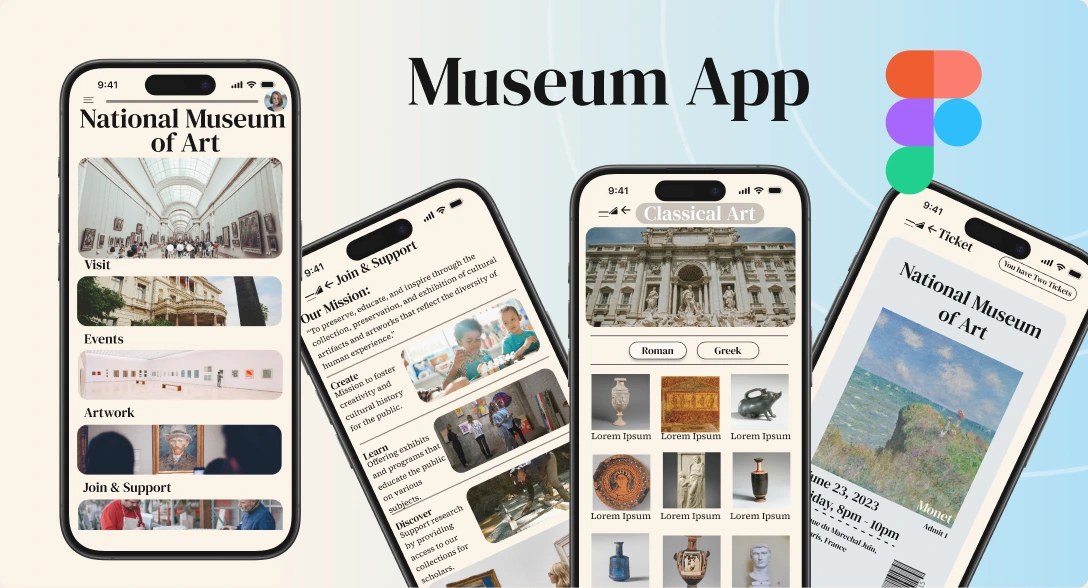
The app provides a clean mobile interface for exploring exhibitions, events, artwork, and museum information, alongside account and membership features. The design brings discovery and visit planning into one consistent experience.
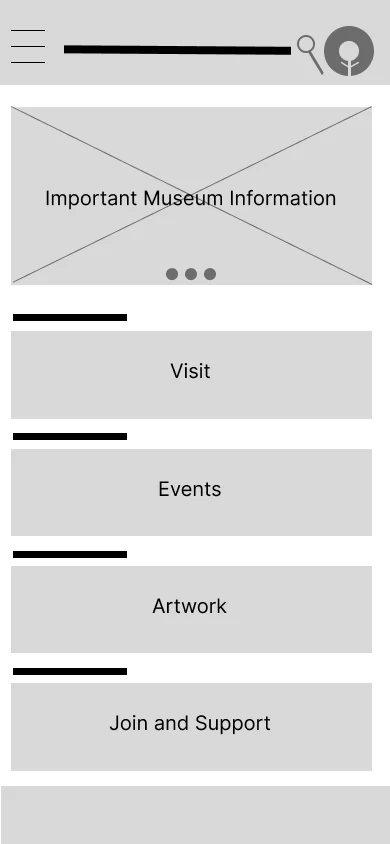
Homepage · Low fidelity
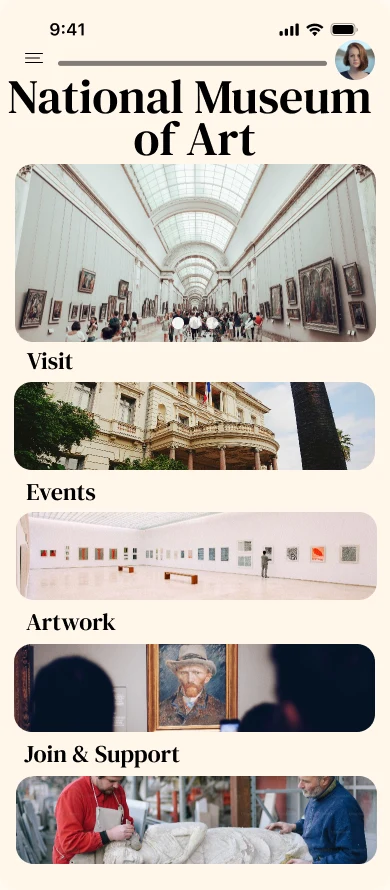
Homepage · High fidelity
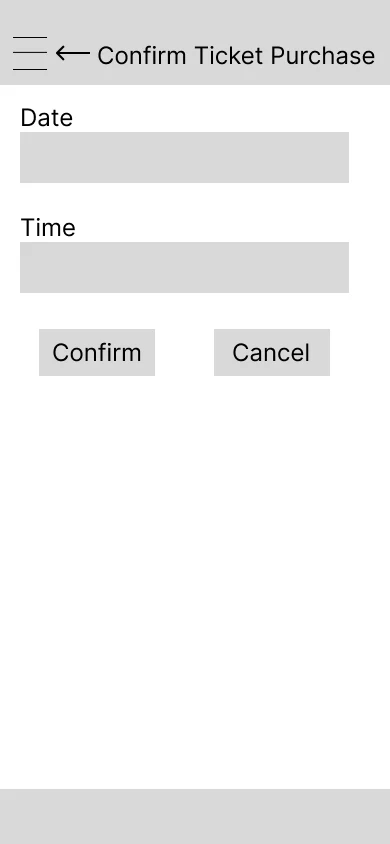
Ticket purchase · Low fidelity
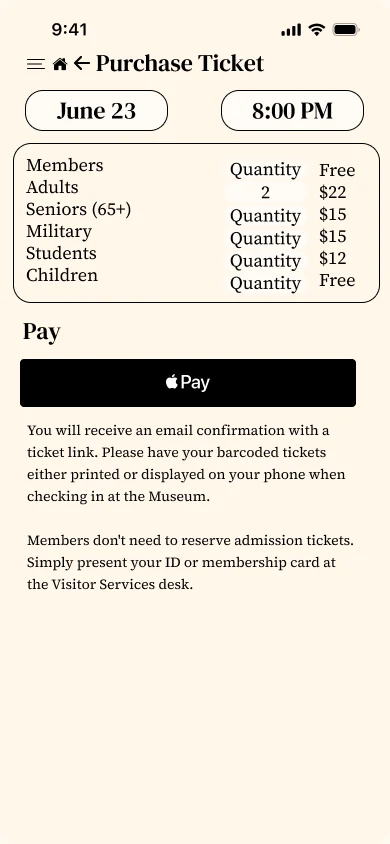
Ticket purchase · High fidelity
A shared visual language
The design brings together serif typography, a warm neutral palette, blue accents, and artwork-led imagery. The app and website share a recognizable identity, while the web navigation uses reusable interaction states.
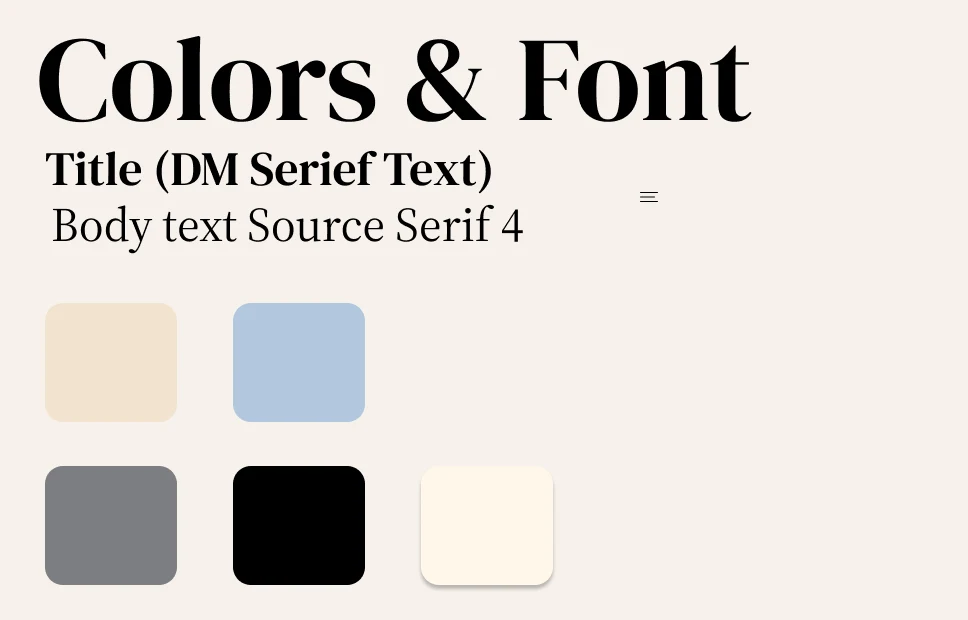
App foundations · DM Serif Text, Source Serif 4, and the color palette

Website component · Join & Give navigation states
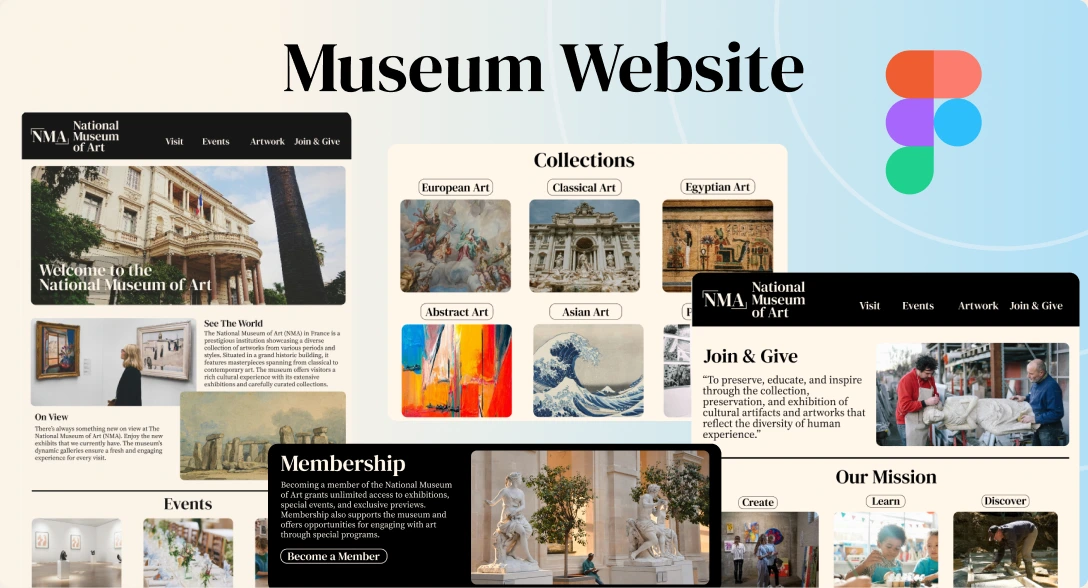
Final designs · Responsive website
The website features a visually engaging homepage, detailed exhibition pages, membership options, and practical museum information. I designed for both desktop and mobile visitors, aiming for a consistent experience across screen sizes. The wireframe and final homepage below show how the structure developed.
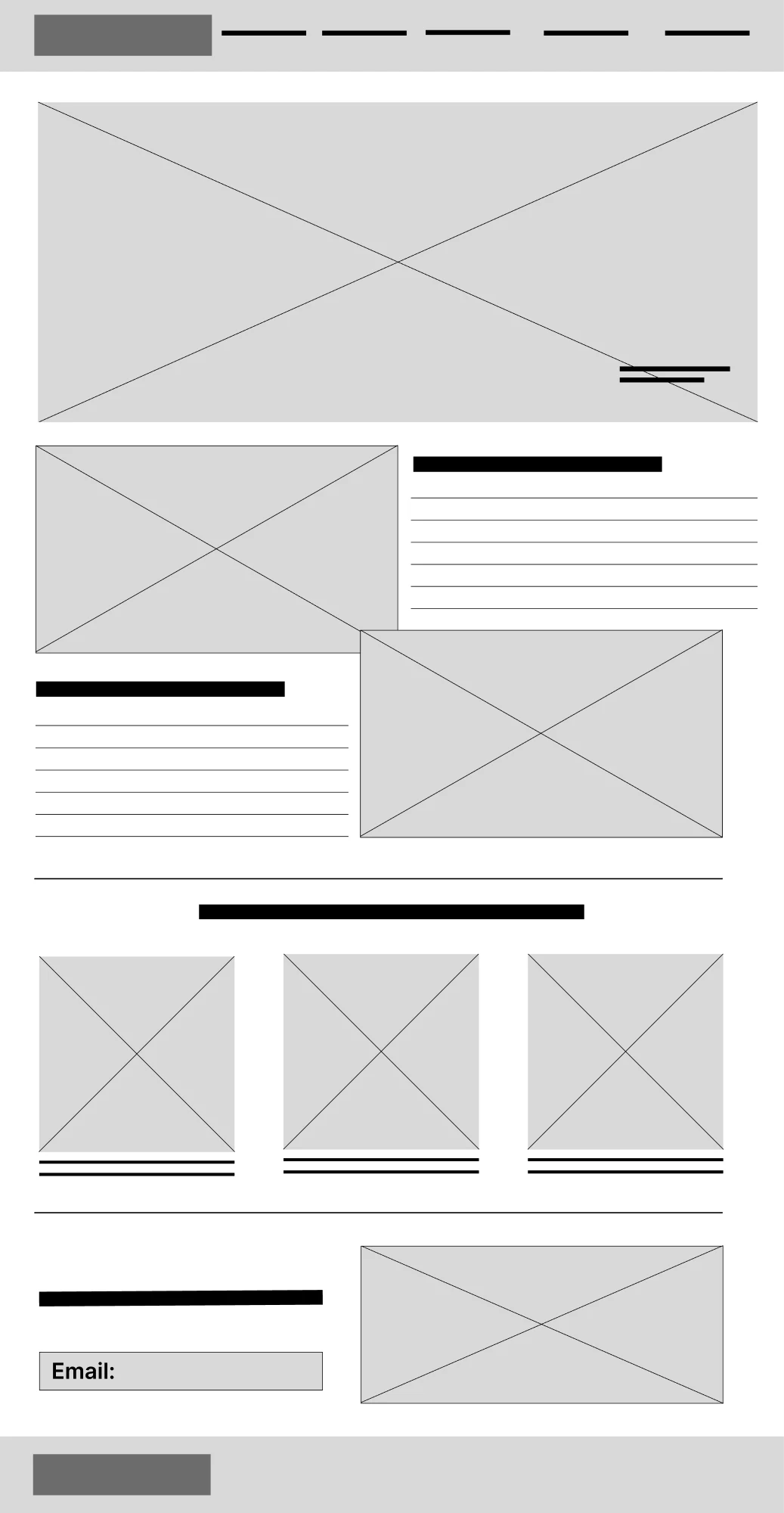
Website homepage · Low fidelity
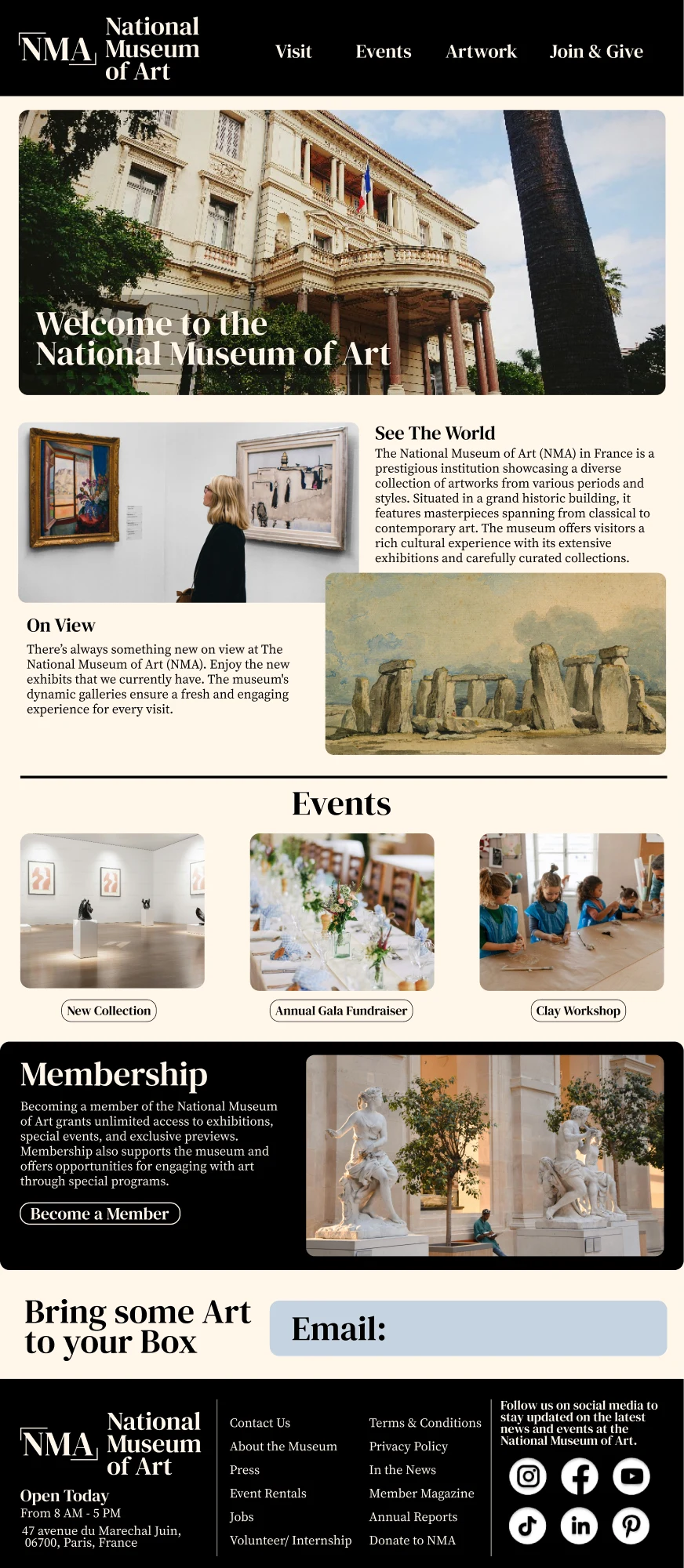
Website homepage · High fidelity
Impact & feedback
Users gave positive feedback about the ease of use and visual appeal. The intended impact was to improve satisfaction and engagement, increase exhibition and event visibility and attendance, and make visit scheduling more convenient. Attendance and engagement were goals; they were not measured outcomes in this project.
What I would explore next
I would run another round of task-based testing on navigation and booking, then check keyboard access, contrast, text scaling, and smaller-screen layouts. This project reminded me to keep the visitor’s next action clear as the visual design develops.